
Carve a Pumpkin! Beginner Guide: First Round Tips
First-round tips for Carve a Pumpkin! on Roblox using only verified store rules plus labeled suggestions—no untested strategy claims.
FAQ
What should you do first in Carve a Pumpkin Roblox?
Are the tips in this beginner guide verified gameplay?
How do you get Stars and Coins as a beginner?
Do codes help beginners in Carve a Pumpkin?
Where should you go after your first round?
What should you do in your first Carve a Pumpkin round?
Your first session should follow the official loop: carve to the theme for three minutes, decorate with hats, accessories, and glows if you choose, then vote when the round asks for favorite pumpkins. Open the how to play guide for the full carve-and-vote overview and a verified-vs-unverified chart. If you installed the wrong same-name game, stop here and read the which Carve a Pumpkin? comparison before typing codes from the Carve a Pumpkin codes page.
What does the checklist cover?
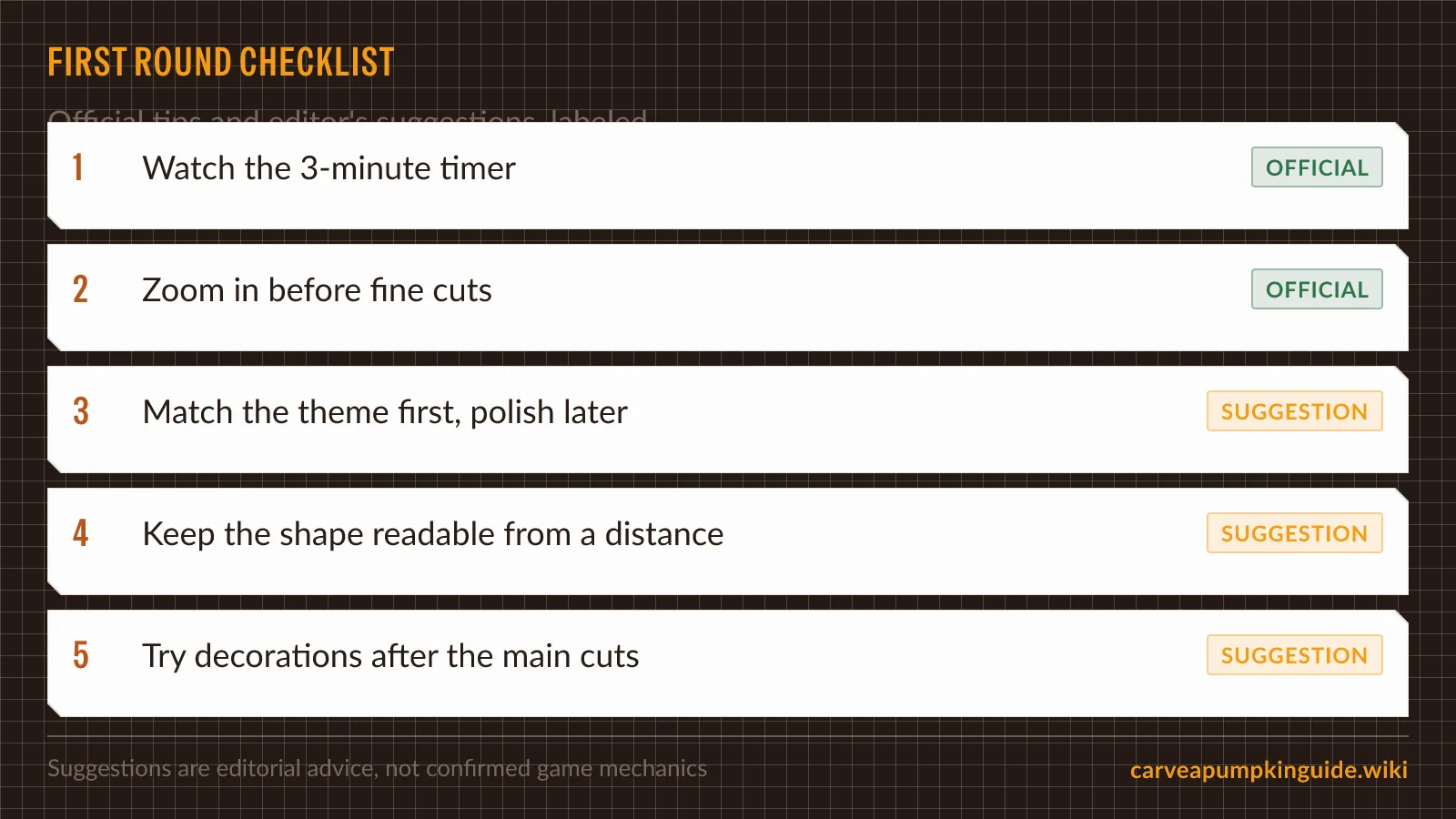
The checklist image marks five rows: official reminders (three-minute timer, zoom for fine detail) and suggestions (theme-first carving, readable silhouette, decorations after main cuts).
OFFICIAL (from the store page)
- Watch the three-minute carve timer called out in the game description.
- Zoom in to make carving easier—quoted guidance on the same page.
Suggestion (editorial, not verified win rate)
- Match the theme before polishing tiny details, because the description centers carving to the theme within a fixed timer.
- Keep the silhouette readable, because other players vote on pumpkins afterward; we do not know scoring rules, but visibility follows from the published vote step.
- Add hats, accessories, or glows after the main cuts if time is tight—decorations are official options, ordering is our time-management guess.
Suggestion: Because servers host up to twelve players as of 2026-10-11, expect other pumpkins on screen during the vote step even though vote rules are unverified—another reason to prioritize a clear theme read over micro-details you cannot see at default zoom.
What should beginners ignore from random tip videos?
Videos titled with Pumpkin Carving Simulator or generic codes often target a different, 2018 game. The same search noise that fills the Carve a Pumpkin codes page with simulator strings also surfaces clips and data mirror sites that may show the right thumbnail but no verified strategy. Prefer the Roblox description plus this wiki’s dated pages over any reposted caption claiming secret themes or coin multipliers. This Roblox title was created 2026-09-21 by Small Team Big Dreams Studio and lists no Game Passes on Roblox as of 2026-10-11. Treat any specific theme name, coin payout, or rank title in a thumbnail as not yet verified unless you confirm it in-client and date the screenshot.
What about Stars, Coins, ranks, and themes?
The store page mentions Stars and Coins, unlocked items, and climbing ranks, but public sources do not document amounts, catalogs, or rank names. Theme lists and how a theme is chosen each round are also not yet verified. Saying you “need 500 Coins for a hat” would be invention—skip numeric guides until the community submits proof. Game info page shares dated Roblox stats (visits, likes, concurrent players) you can use to decide if the game is active enough for you to try.
Where should you read next?
- How to play — round structure, multiplayer cap, unverified economy table.
- Which Carve a Pumpkin? — tell Roblox party, farm, Fortnite, and simulator apart.
- Game info — developer, release and update dates, Halloween calendar context without promising in-game events.
- Codes — honest code status and vetting steps.
Related Articles
codes
Carve a Pumpkin! Codes: None Verified (Oct 2026)
As of Oct 2026 there are no verified Carve a Pumpkin! Roblox codes. Learn why old simulator lists fail and how to check new claims safely.
guides
Carve a Pumpkin! Roblox: Developer, Date & Stats
Who made Carve a Pumpkin! on Roblox, when it launched, dated visit and like stats, badges, and what is not verified about Halloween events.
guides
How to Play Carve a Pumpkin! on Roblox
Learn how Carve a Pumpkin! rounds work on Roblox: 3 minutes to carve to a theme, decorate, vote, and earn Stars and Coins per the official description.
Was this helpful?
Thanks for the feedback!